File Handling in C
1. What is File Handling?
File handling in C refers to the process of storing data permanently in files and retrieving it when required. Unlike variables, which store data temporarily in memory, files allow data to be stored permanently on secondary storage devices.
File handling is essential for programs that need to save data, process large inputs, or share information between multiple executions of a program.
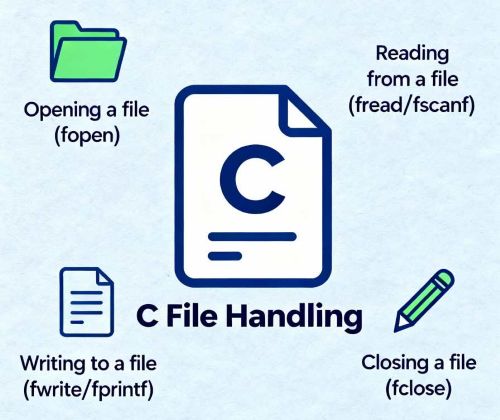
2. Types of Files
In C programming, files are broadly classified into two types:
- Text Files
- Binary Files
Text files store data in human-readable form, whereas binary files store data in machine-readable (binary) format.
3. File Pointer
A file pointer is a pointer of type FILE used to access a file.
It acts as a connection between the program and the file.
FILE *fp;
The file pointer keeps track of the current position in the file during read or write operations.
4. File Opening Modes
Files are opened using the fopen() function with a specific mode.
The mode determines the type of operation to be performed on the file.
| Mode | Description |
|---|---|
| r | Opens a file for reading |
| w | Opens a file for writing (creates a new file) |
| a | Opens a file for appending |
| r+ | Opens a file for reading and writing |
| w+ | Opens a file for reading and writing |
| a+ | Opens a file for reading and appending |
5. File Reading Functions
C provides several functions to read data from files. The commonly used file reading functions are:
fgetc()– Reads a single characterfgets()– Reads a string from a filefscanf()– Reads formatted data
char ch = fgetc(fp);
fgets(str, sizeof(str), fp);
fscanf(fp, "%d", &num);
6. File Writing Functions
File writing functions are used to write data into files.
fputc()– Writes a single characterfputs()– Writes a stringfprintf()– Writes formatted output
fputc('A', fp);
fputs("Hello", fp);
fprintf(fp, "%d", num);
7. File Closing
After completing file operations, the file must be closed using the fclose() function.
Closing a file ensures that all data is saved properly and releases system resources.
fclose(fp);
Failure to close a file may lead to data loss or memory leaks.
8. Examples
#include <stdio.h>

int main()
{
    FILE *fp;
    fp = fopen("data.txt", "w");

    if (fp == NULL)
    {
        printf("File cannot be opened");
        return 1;
    }

    fprintf(fp, "Welcome to C File Handling");
    fclose(fp);

    return 0;
}
This program creates a file and writes text into it using file handling functions.
9. Applications
- Storing student and employee records
- Maintaining logs and reports
- Reading and writing configuration files
- Database file operations
- Data storage for large applications